
August 25, 2026

What's new in eKroužek: Version 2.1

We're bringing another major update to the eKroužek platform. Version 2.1 introduces a complete subscription and billing system, new notifications and messages, an expanded space for parents, and plenty of smaller improvements across the whole app.

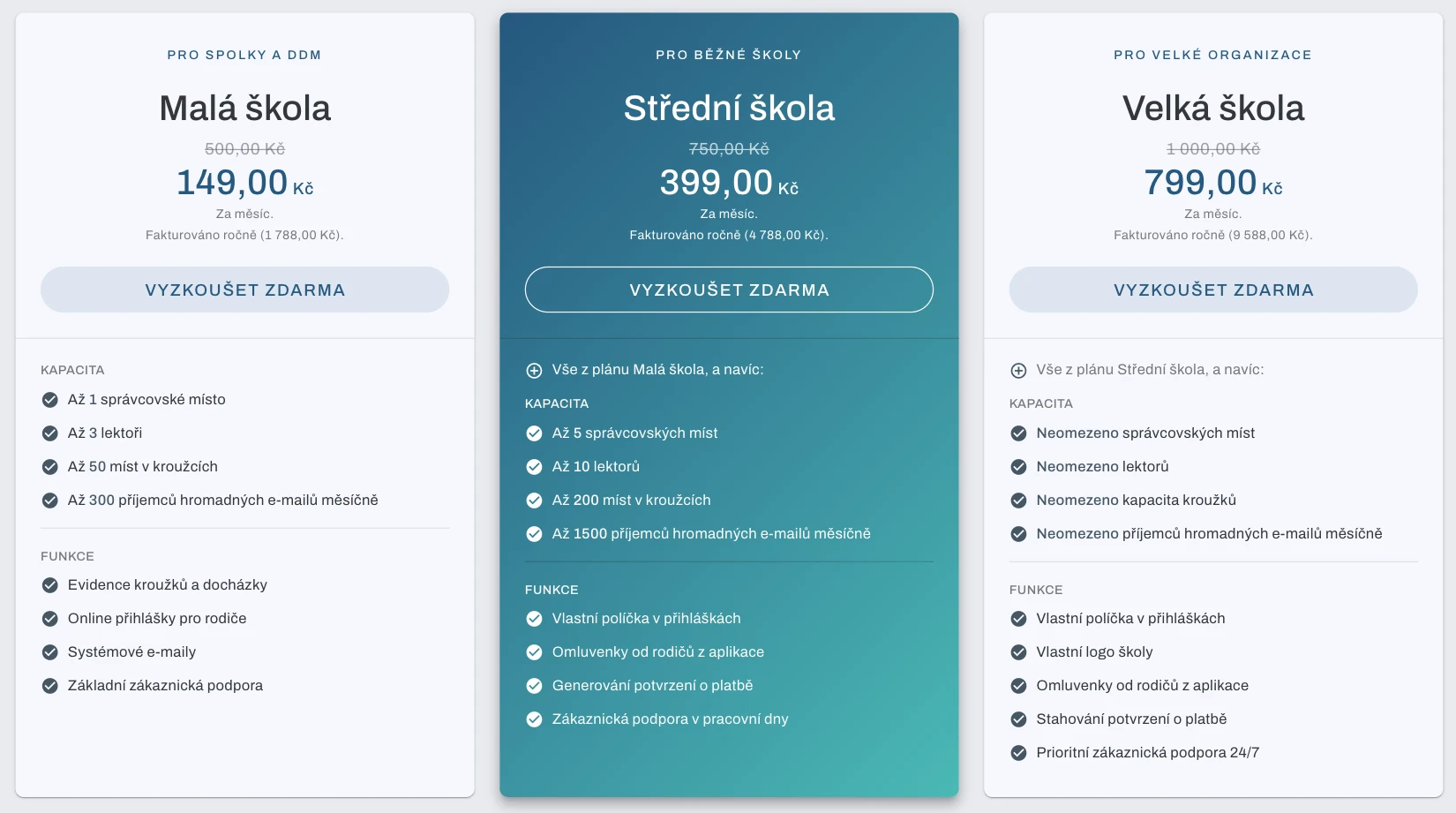
Subscriptions and billing

eKroužek now works on a subscription basis with clearly defined plans, replacing the previous flat access model.

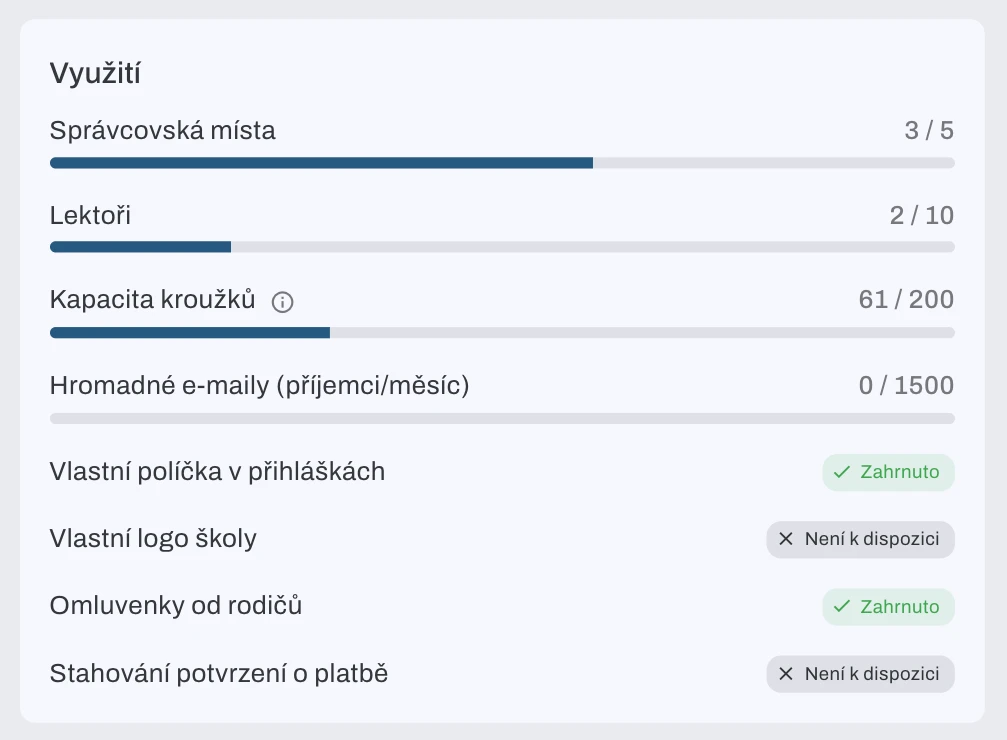
  • Tailored plans: Each plan has its own limits, the number of administrators and instructors, club capacity, the number of custom sign-up form fields, and whether PDF payment confirmations or a custom school logo are available. The app warns you as you approach your plan's limit.
  • Billing: Invoices for subscription renewals are generated automatically, proforma invoices can be issued before payment, and their payment is matched with bank transactions (Fio) automatically.
  • Discount coupons and the option to change your plan at any time (upgrade or downgrade), including prorated billing and a free trial period.
  • A public pricing page listing all plans and their features, available even without logging in.
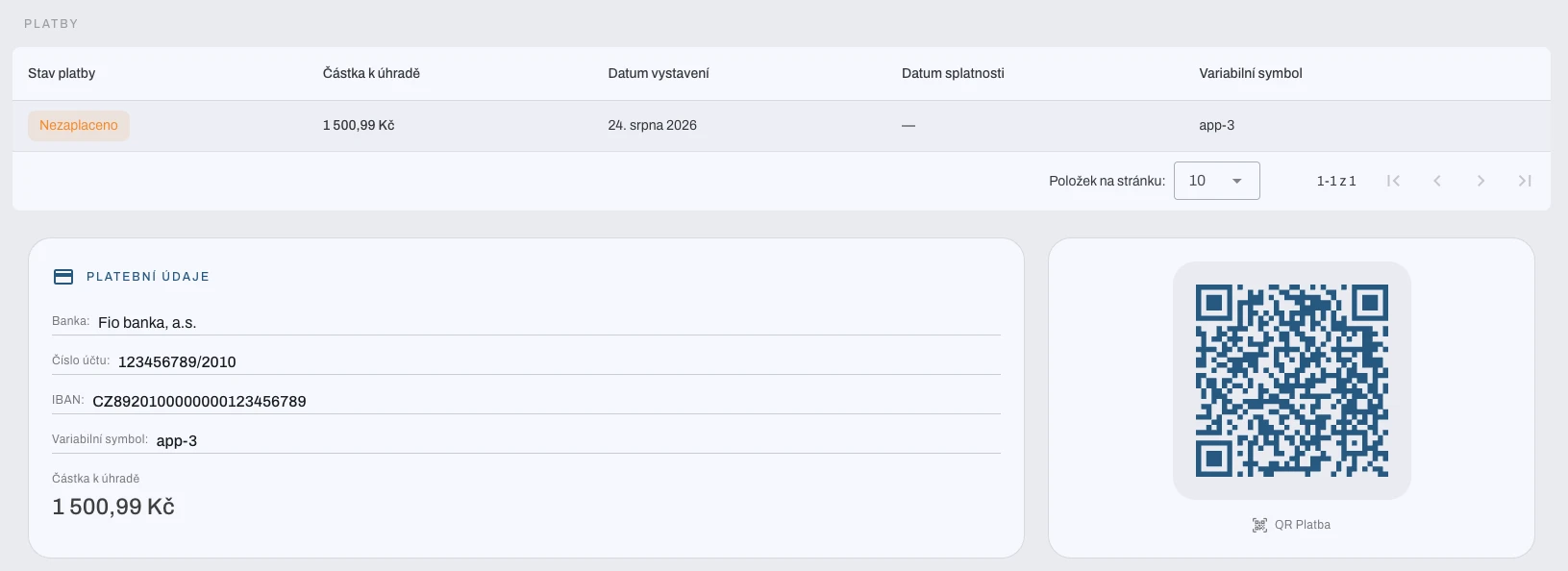
  • QR payments (SPAYD): Proforma invoices and sign-up payment emails now include a QR code for quick payment from a mobile banking app.
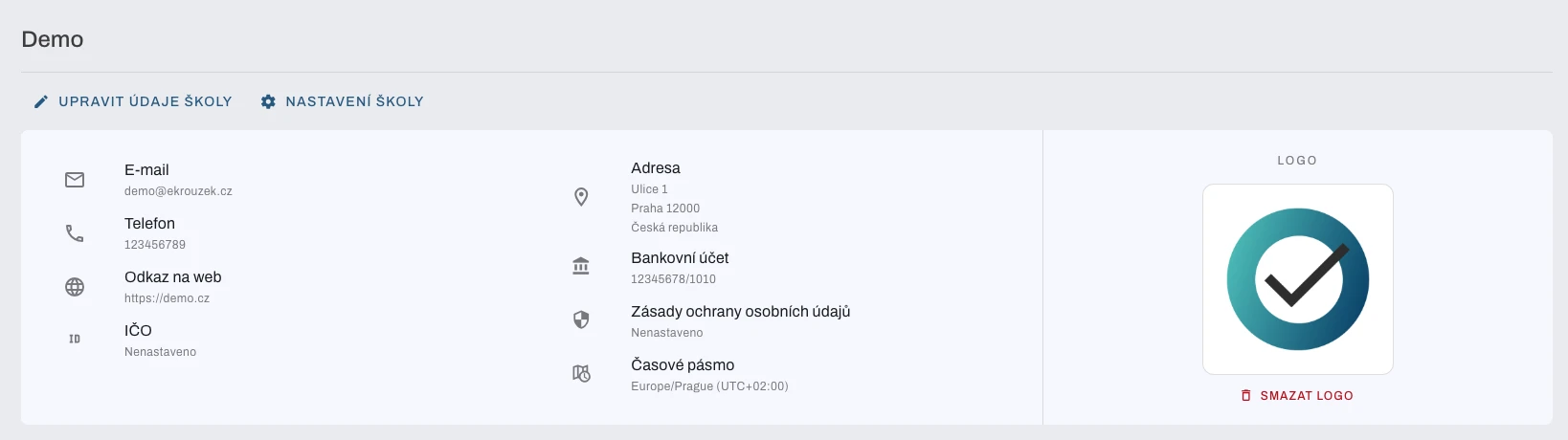
  • Schools can fill in their company ID, with the name and address filled in automatically from the ARES business registry.
Notifications and messages

We added a notification center right in the app, along with the ability to message parents in bulk.

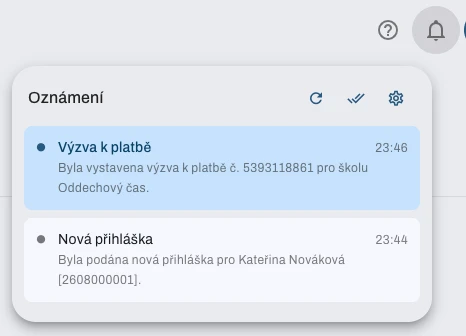
  • Notification center (a bell icon with an unread count) and matching email notifications, split into categories (payments, attendance, messages), each with its own on and off setting.
  • Notification preferences can be managed even without logging in, directly from a link in the email.
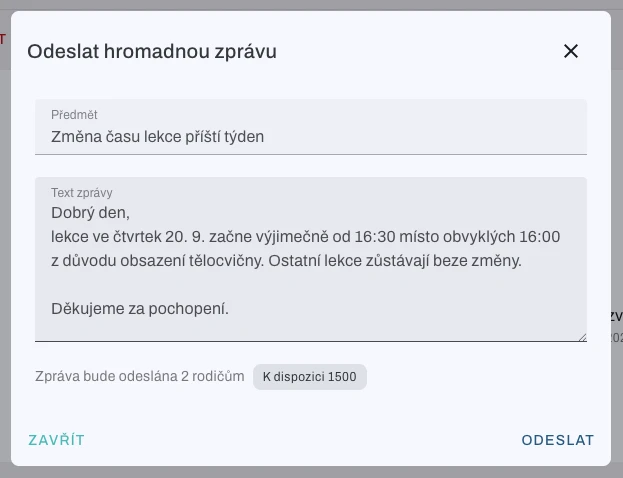
  • Bulk messages: Administrators and instructors can send messages or emails to parents, either to the whole school or to a specific club. Parents see messages in a new inbox in the app as well as by email. This feature is available depending on the plan.

An expanded space for parents

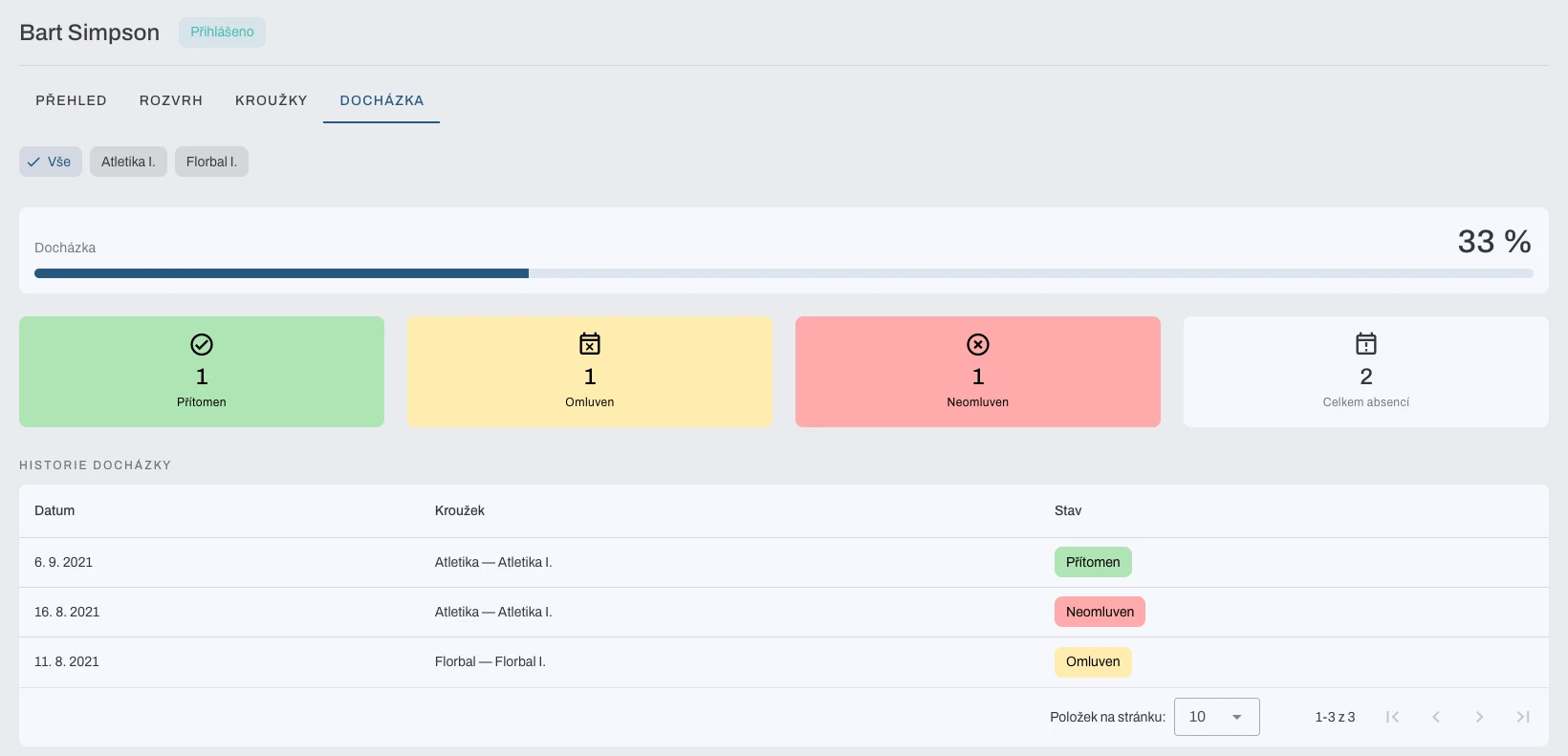
  • A new parent dashboard: one place to manage children, attendance history, excuse requests, a payment overview, and a new family billing tab summarizing what's owed for all children.
  • Linking parents: one parent can invite another (for example the other parent or a grandparent) to manage a child. The invitation can be accepted, declined, or the invited parent removed later at any time.
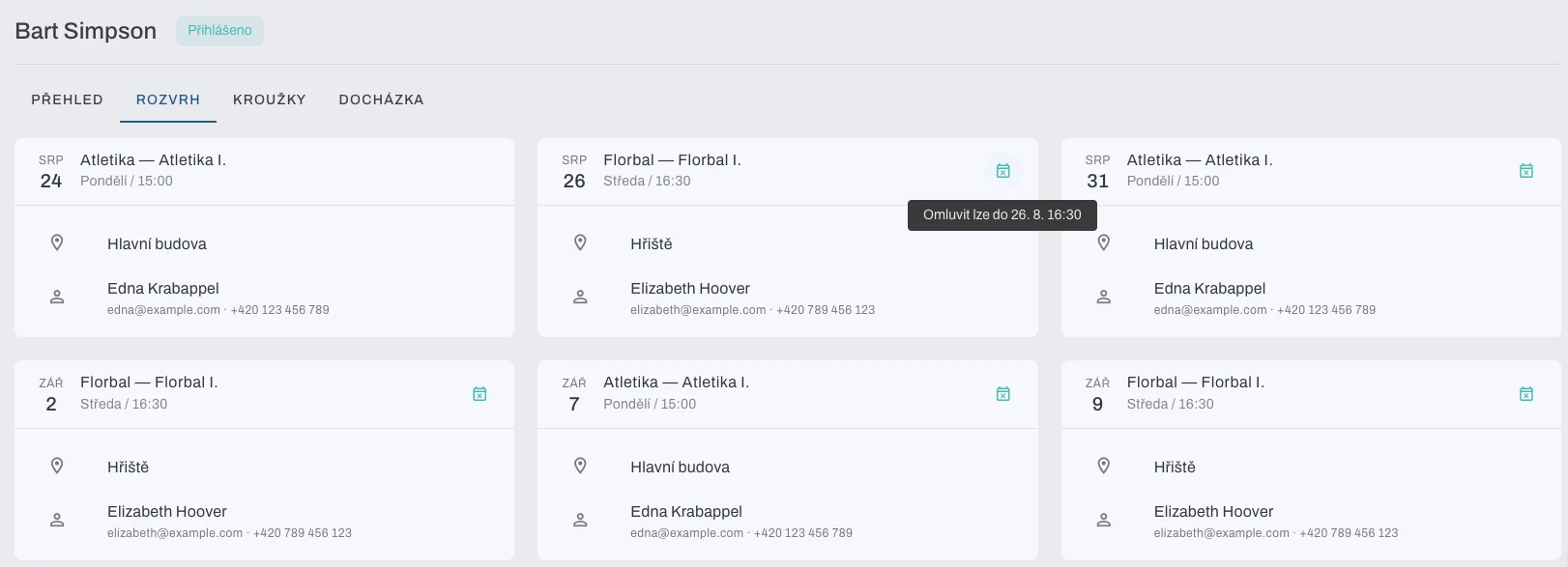
  • Excusing attendance: parents can submit an excuse note with a comment for a missed lesson directly, without needing to contact the school (depending on the plan).
  • Sign-ups without an account: an administrator can sign a child up for a club on behalf of a parent (for example over the phone), even before the parent creates an account.

Planning and schedules

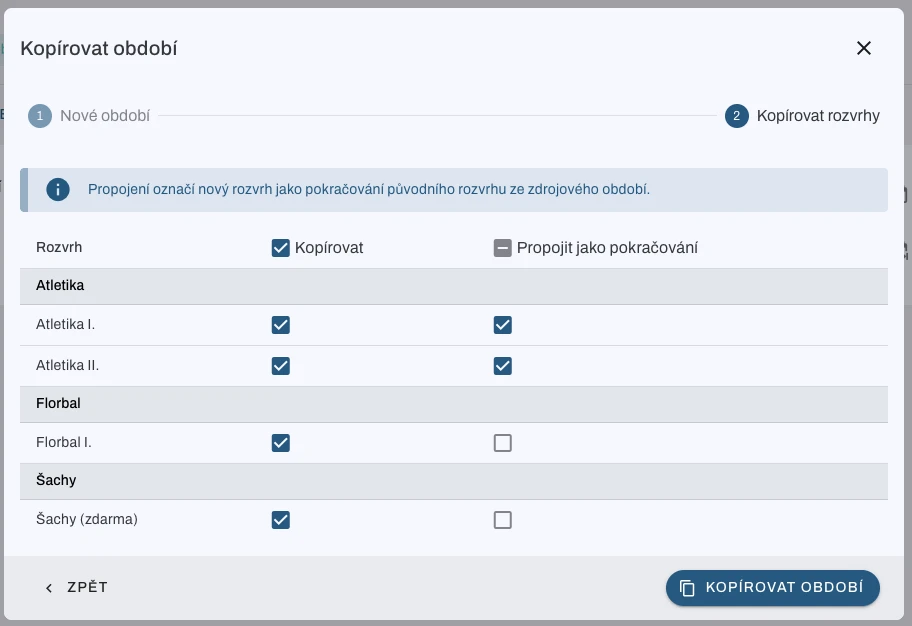
  • Copying a semester: an entire club schedule, including assigned instructors, can be copied to a new semester in a single step.
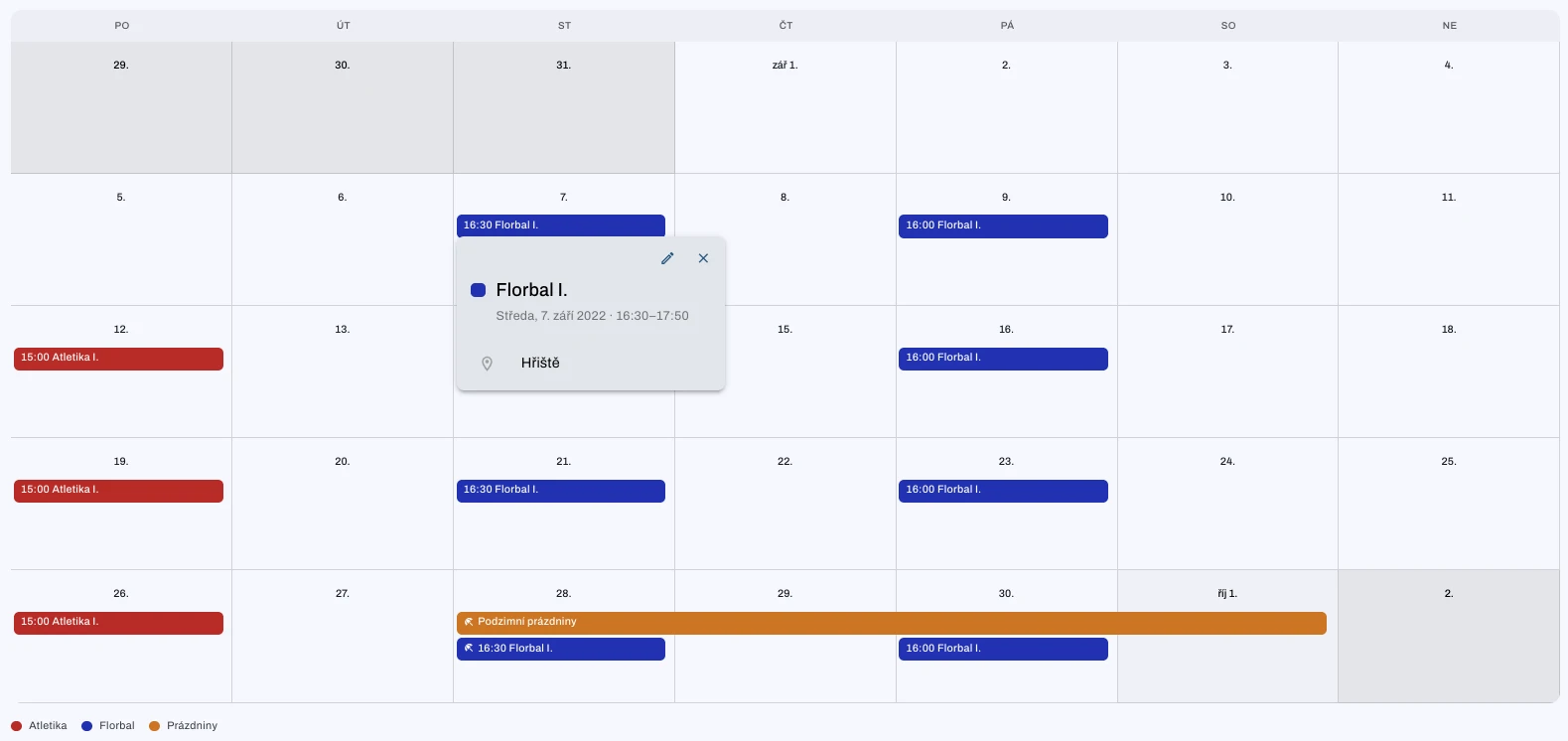
  • A calendar on the administrator dashboard with monthly and weekly views of scheduled lessons and holidays.
  • Improved holiday handling: retroactive cancellation of already scheduled lessons that fall on newly added holidays, plus full holiday management with an overview of the ones currently in progress.
  • A longer payment window for sign-ups: schools can set a longer payment deadline after opening sign-ups for a semester.

Payments and sign-ups

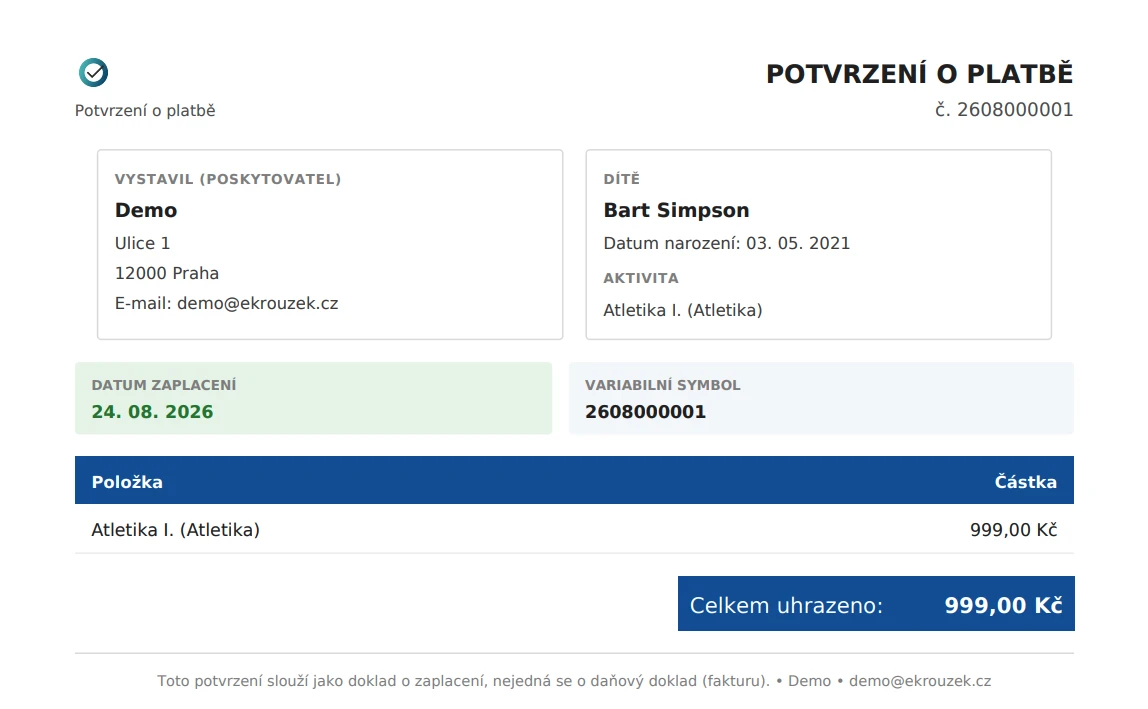
  • Sign-up payments are now separate records: parents see an overview of pending and paid payments, and administrators can mark a payment as paid manually or cancel it. A PDF payment confirmation (depending on the plan) can be downloaded for each payment and is sent automatically by email once paid.
  • Free clubs: a club can be set up with a zero price, so sign-up works without any payment.
  • An order number can now be added to an invoice for the school's accounting needs.

School administration

  • A custom school logo, shown in emails and on payment confirmations (available depending on the plan).
  • School time zone: fixes cases where lesson times were calculated using the server's time zone instead of the school's local time.
  • Managing legal documents and consents: the terms of use and privacy policy are now versioned, users and sign-ups record consent to the current version, and the app requests new consent whenever they change.

Security and other improvements

  • Spam protection (reCAPTCHA v3): registrations and new sign-ups are now protected against automated bots, entirely in the background.
  • A new, unified email design across the whole app (payments, notifications, invoices).
  • Custom confirmation dialogs replaced browser popups for deleting records and other important actions.
  • A range of performance and stability fixes: faster loading of instructor schedules, fewer unnecessary network requests, and a fix for a race condition when matching bank payments.