
October 11, 2026

What's new in eKroužek: Version 2.2

We're bringing another update to the eKroužek platform. Version 2.2 lets you change the groups in an existing application and record refunds, adds data exports, makes getting started much easier for new schools, and improves attendance, user management, and subscriptions.

Application changes and refunds

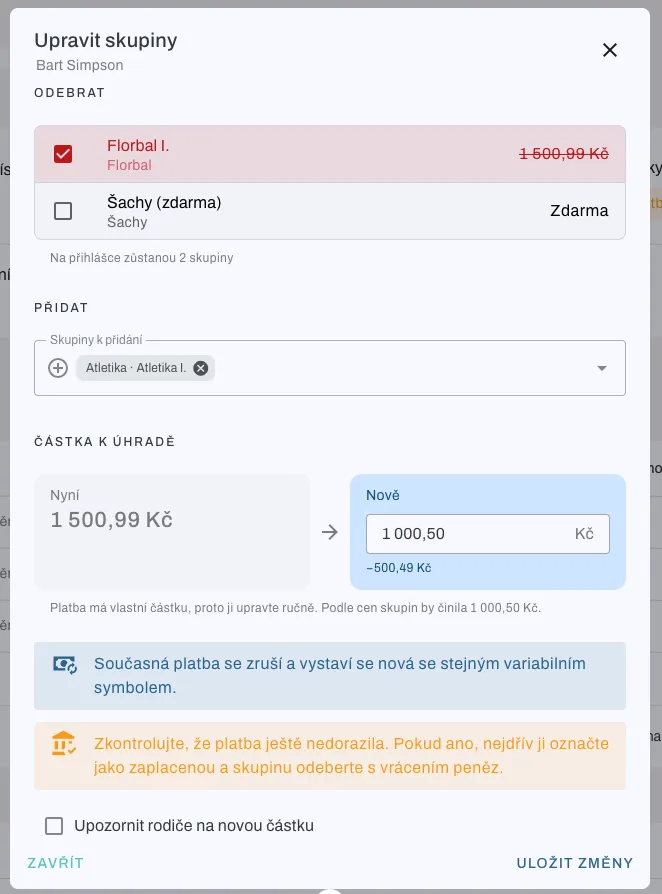
A parent signs their child up for three clubs and then finds out the child will only attend two? Until now, the only option was to cancel the whole application. Now a school admin can change the groups in it.

  • Unpaid application: the admin can remove and add groups (including groups with free places after sign-ups have closed). The amount is recalculated, the payment keeps the same variable symbol, and the child keeps their places in the remaining groups.
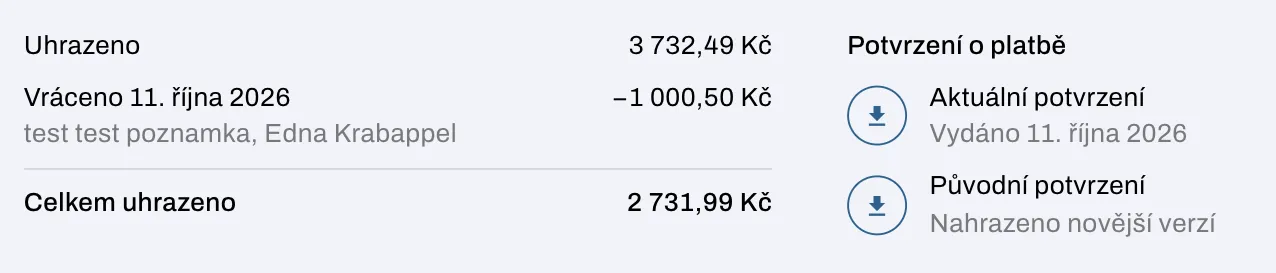
  • Paid application: when a group is removed, a refund can be recorded. The refunded amount shows in the payment overview and a new payment confirmation is issued. The original one stays available for download.
  • The application detail shows the history of group changes and refunds.
  • Restoring a canceled application: an application canceled by mistake can be brought back.
Data exports

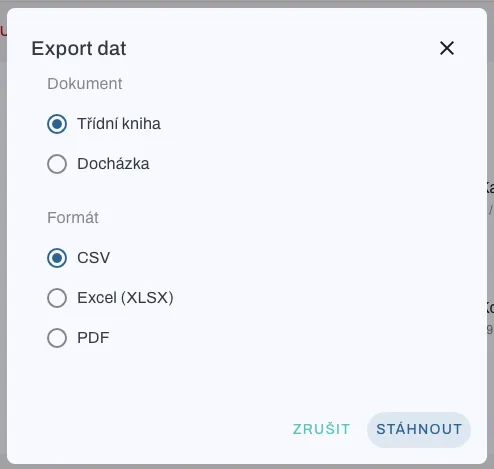
  • Export applications, children, attendance, and the class book to CSV, Excel (XLSX), or PDF, scoped by semester.
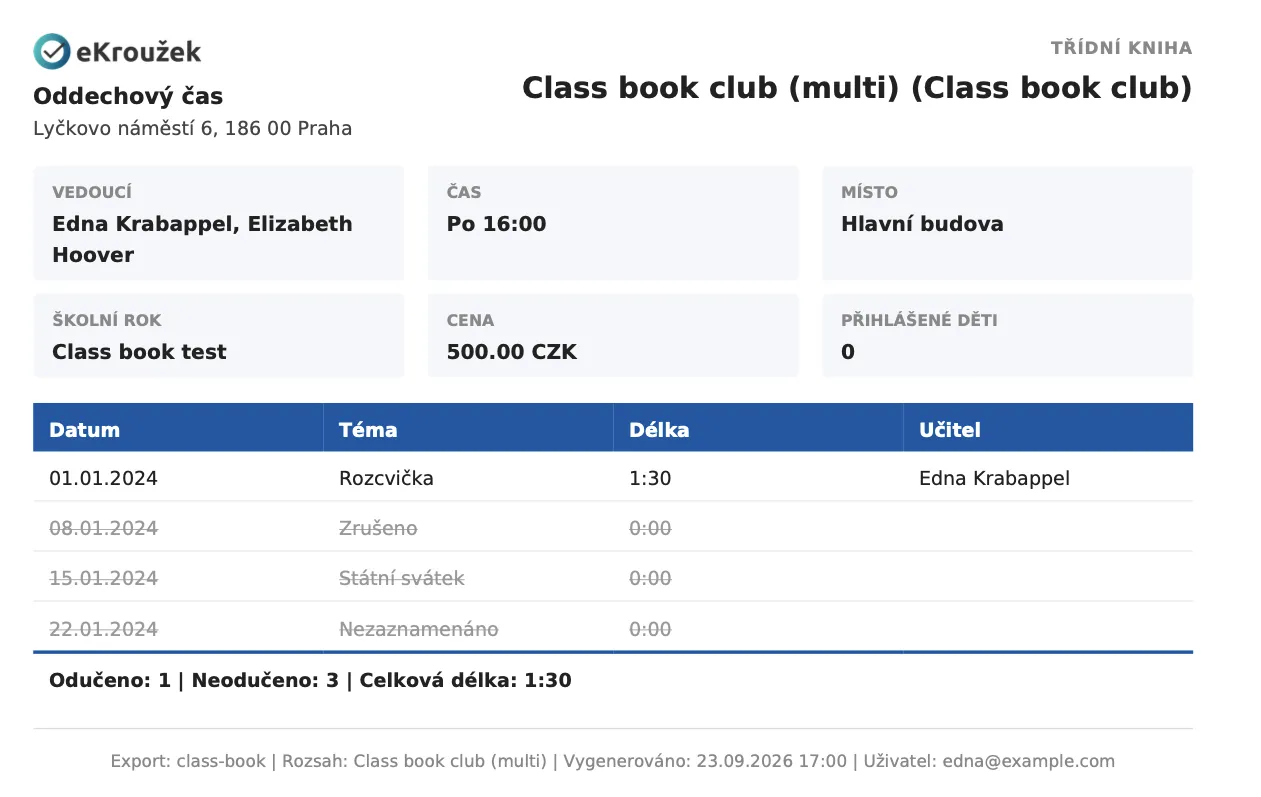
  • The PDF class book lists lessons with their topic, length, and teacher, including canceled lessons and holidays.
  • Export availability depends on your subscription tier.

An easier start for new schools

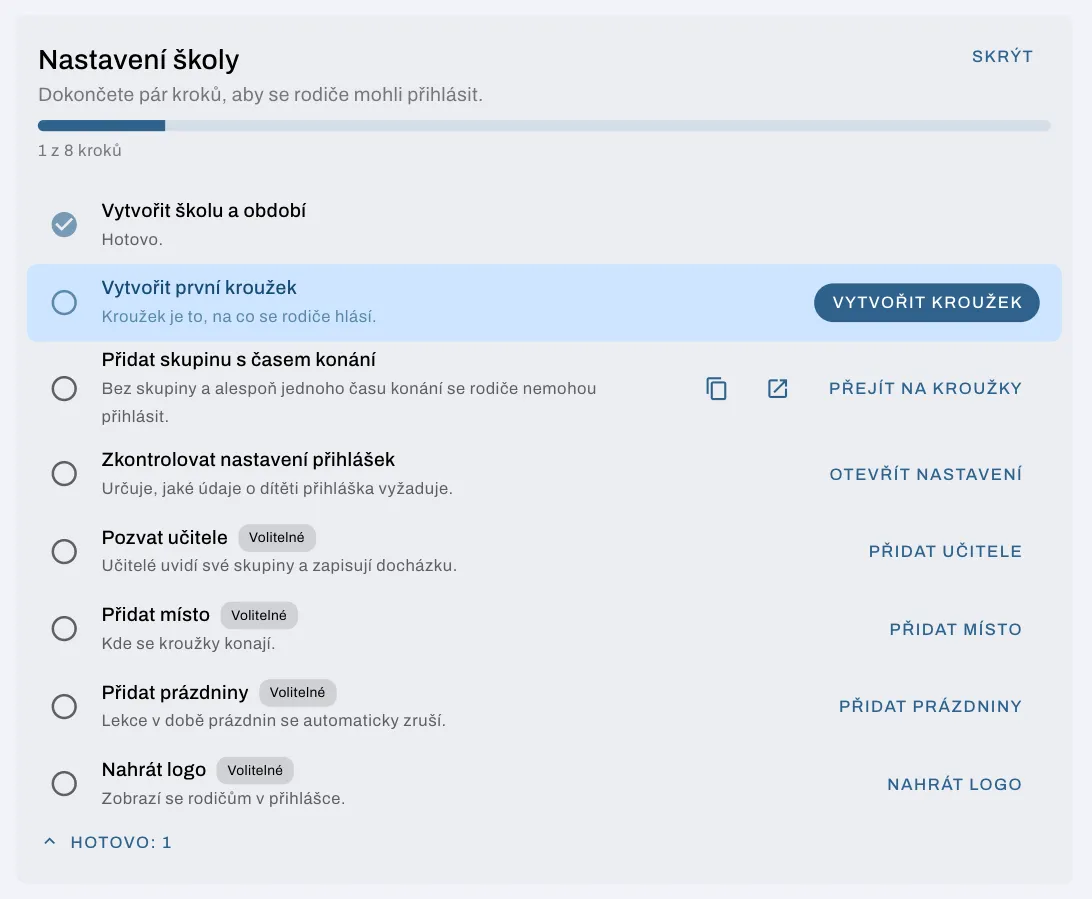
  • School setup guide: the admin dashboard shows the steps needed before parents can start signing up, with a direct link to each one.
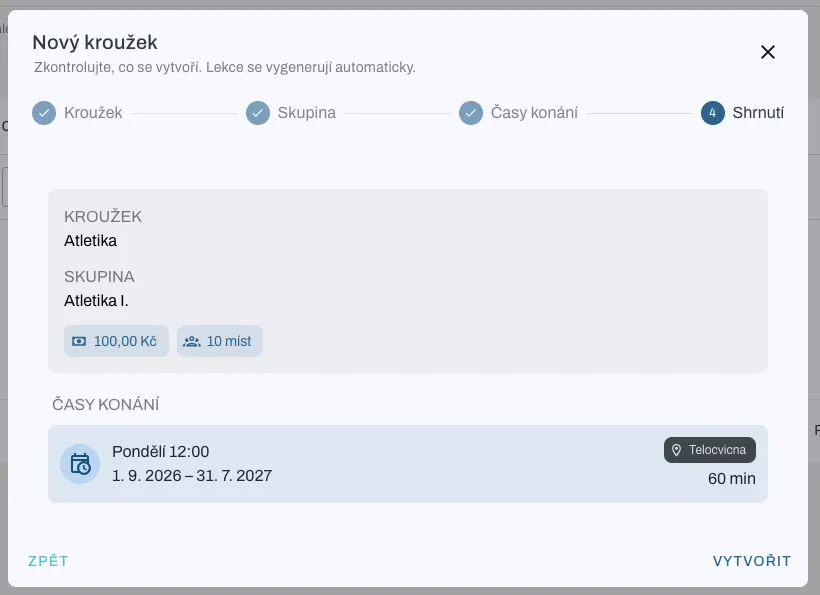
  • New club creation wizard: set up the club, group, and schedule step by step in one dialog and review a summary before creating it. Lessons are generated automatically.
  • Teachers can be assigned directly to a group.
  • An improved onboarding flow and clearer empty states across the app.

Attendance and lessons

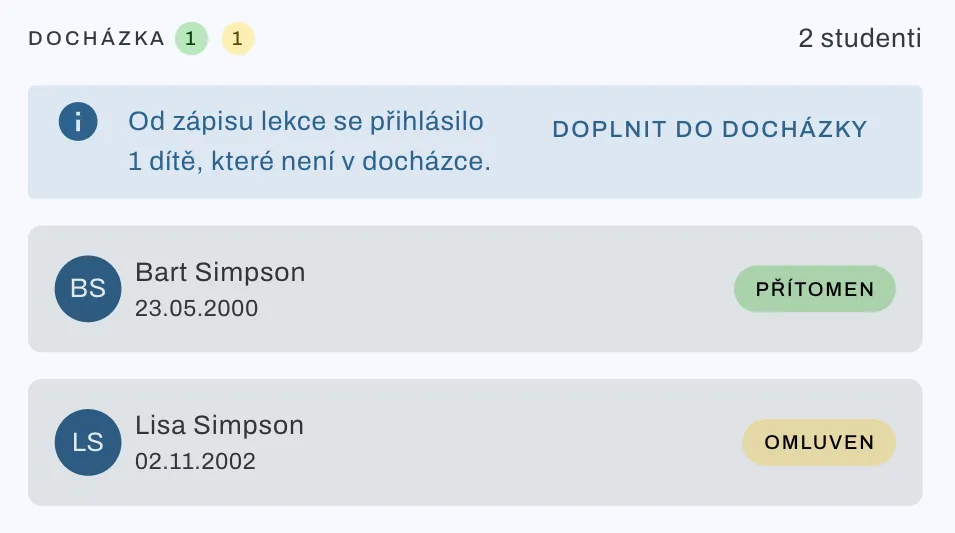
  • Adding late attendance: if a child signs up after a lesson has been recorded, the app lets you know and the child can be added to the attendance with one click.
  • The schedule detail now lists its lessons.
  • Lesson cleanup: lessons that fall on holidays or were never recorded are canceled automatically. Adding or removing holidays is reflected in the lessons.
  • Attendance display settings now live directly on the pages they affect, and the dashboard shows attendance based on the selected filter.

Teachers

  • Teachers can create applications manually and view applications to their clubs.
  • Users who are only teachers no longer see admin actions.

Users and school settings

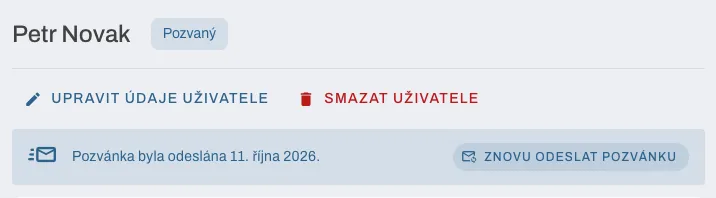
  • Invitations and password reset: an admin can invite a user, resend the invitation, or have their password reset. Each user shows their invitation status.
  • Optional child details: a child's date of birth and address are no longer mandatory. The school decides in its settings whether the application requires them.
  • Improved registration and display of users' external affiliation.
  • School names can now be up to 150 characters long.

Subscriptions and billing

  • A clearer subscription page and a new card showing your tier's limit usage.
  • A warning when the school stays on the default smallest tier.
  • A tier can be chosen even when the subscription payment is overdue.
  • Payment reminders, clearer billing e-mails, and a new e-mail when a subscription cancellation is scheduled.

Other improvements

  • The notification bell shows “9+” for larger numbers of unread notifications.
  • Long place and group names now display correctly.
  • Better mobile layout of the application control panel.
  • Form errors now also appear in a notification at the bottom of the screen.
  • Fixed capitalization of children's names and repeated applications of the same child to the same club.